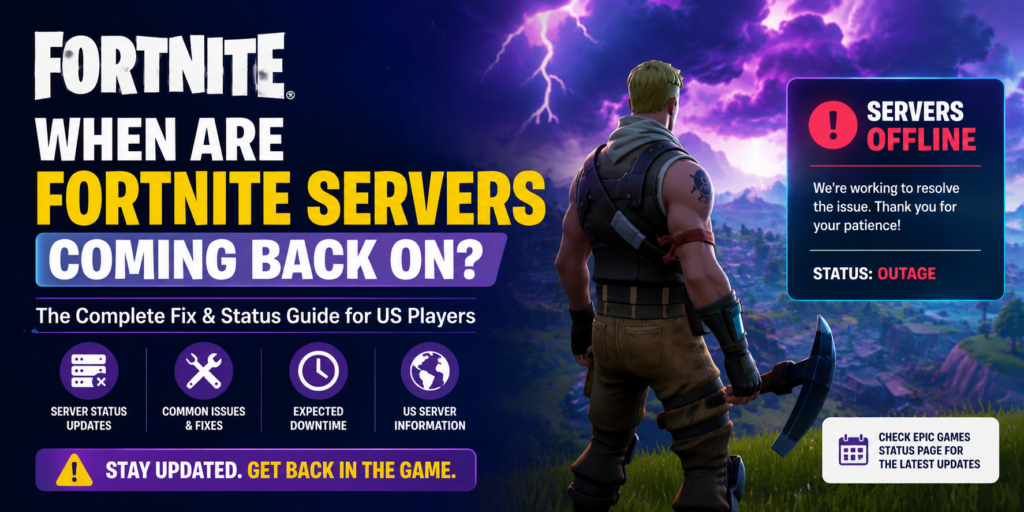
You open Fortnite. It won’t connect. Your first thought? “When are Fortnite servers coming back on?” You’re not alone — millions of US players ask this same question every single patch day, and every new season launch.
Good news: this guide gives you every answer. Downtime schedules, live status checks, error code fixes, and tricks to get back in the game before everyone else.
1. Scheduled Fortnite Downtime – Check the Calendar First
Epic Games doesn’t take servers offline randomly. Every update is planned. They announce it ahead of time – you just need to know where to look.
When Does Fortnite Downtime Happen?
Almost every downtime starts at 4:00 AM Eastern Time. Epic picks the middle of the night so the fewest players are affected. Here’s how long it usually lasts:
- Regular weekly patch: 1–2 hours
- Mid-season update: 2–3 hours
- New season launch: 3–6 hours (sometimes more)
Where to Check the Fortnite Downtime Schedule
These three sources give you the fastest, most accurate info:
- @FortniteStatus on X (Twitter) – Turn on notifications. This is the #1 source.
- epicgames.com – Live server health for all Epic games.
- com – Real player reports if something goes wrong unexpectedly.
| PRO TIP: Follow @FortniteStatus and tap “Turn on notifications.” You will get an alert the moment servers go live — before most players even check. |
2. Is Fortnite Down Right Now? How to Use the Live Map
Not sure if it’s the servers or your connection? This is the fastest way to find out.
Fortnite Servers Not Responding – Fix for PC, Xbox, and PS5
Run through this checklist in order. Most people fix the issue by step 3:
- Check @FortniteStatus — if they posted about downtime, just wait.
- Restart your router. Unplug it for 30 seconds, plug it back in.
- Check your NAT Type. You need Open or Type 2. Strict NAT = connection problems.
- PS5 / Xbox: Go to Network Settings and run a Connection Test.
- PC only: Open Command Prompt and type ipconfig /flushdns
Is Fortnite Down or Is It Just Me? – The Reddit Check
Head to r/FortNiteBR on Reddit and search “servers down.” If 10+ people posted the same error in the last 30 minutes — it’s Epic’s problem, not yours. If nobody is talking about it — check your own connection first.
Fortnite Update Taking Forever or Stuck?
On big patch days, download servers get slammed. Here’s how to unstick a frozen update:
- Pause the download. Wait 5 minutes. Resume.
- Restart the Epic Games Launcher completely.
- Check your storage – you need at least 15 GB free.
- Switch from WiFi to a wired Ethernet cable. This alone often doubles your speed.
3. Fortnite Downtime for New Season Update – Full Breakdown
New season launches are the biggest server events of the year. Think of it like a city doing a complete road rebuild overnight. It takes time — and it’s worth the wait.
Fortnite Season Launch Times – US and UK
These are the standard times Epic has used for recent season launches:
| Region | Downtime Starts | Servers Back (Est.) |
| Eastern Time (US) | 4:00 AM ET | 8:00 – 10:00 AM ET |
| Pacific Time (US) | 1:00 AM PT | 5:00 – 7:00 AM PT |
| UK (GMT/BST) | 9:00 AM GMT | 1:00 – 3:00 PM GMT |
| NOTE: These are estimates based on past seasons. Always verify on @FortniteStatus — big seasons can run 1–2 hours longer. |
Can You Download the Fortnite Update While Servers Are Down?
Yes, and you should start immediately. The moment Epic announces downtime, the update file goes live on your platform. Download it now so you’re ready the second servers come back online, while everyone else is still in the queue.
Fortnite Waiting in Queue – 1 Hour Fix
After a big launch, you’ll see a “waiting in queue” screen. This means too many players logged in at once. The single best fix: wait 30–60 minutes after servers officially open, then log in. The rush clears fast. Do NOT keep restarting — it sends you back to the end of the line every time.
4. Fortnite Error Codes – List and Meanings
Error codes look scary. Most have a simple fix. Here are the three most common ones:
Fortnite Servers Full – Error Message Fix
This error means Epic’s matchmaking servers are overloaded. It almost always happens in the first hour after a big launch. Fix: log out completely, wait 20–30 minutes, try again. Don’t spam the login button.
Fortnite White Screen After Update – PC Repair
A white screen after updating is almost always a corrupted game file. Fix it in 4 steps:
- Open the Epic Games Launcher.
- Click on Fortnite, then the three dots, then Verify.
- Let it scan and repair files.
- Restart the game.
This works 90% of the time. If not, a full reinstall is your next step.
Fortnite Stuck on Checking for Updates Screen
This is one of the most frustrating bugs. The game just sits there and does nothing. Here’s the fix:
- Close the Epic Games Launcher completely. Open Task Manager (Ctrl+Shift+Esc) on PC and make sure it’s not running in the background.
- Right-click the launcher and choose Run as Administrator.
- If still stuck: navigate to C:\ProgramData\Epic\EpicGamesLauncher\Data\Manifests and delete any Fortnite-related files. Then re-verify the game.
5. Pro Tips – Never Miss Server Updates Again
These habits take 2 minutes to set up and save you hours of frustration:
- Follow @FortniteStatus on X with notifications ON.
- Bookmark status.epicgames.com on your phone.
- Set a 4:00 AM alarm on big patch days if you want early access.
- Download updates the moment downtime is announced – don’t wait.
- Check r/FortNiteBR during outages – community posts faster than most news sites.
| QUICK RULE: Download early. Log in late. You’ll be in the game faster than 90% of players. |
Final Word – Stop Waiting, Start Playing
Fortnite server downtime is always temporary. With the right sources bookmarked and these fixes in your back pocket, you’ll spend less time waiting and more time playing.
Here’s your 3-step action plan right now:
- Follow @FortniteStatus on X and turn on notifications.
- Bookmark status.epicgames.com for live server status.
- Next patch day: download the update early and wait 45 minutes after launch before logging in.
Found this guide helpful? Share it with your squad — and drop your own fix in the comments if something worked for you.