
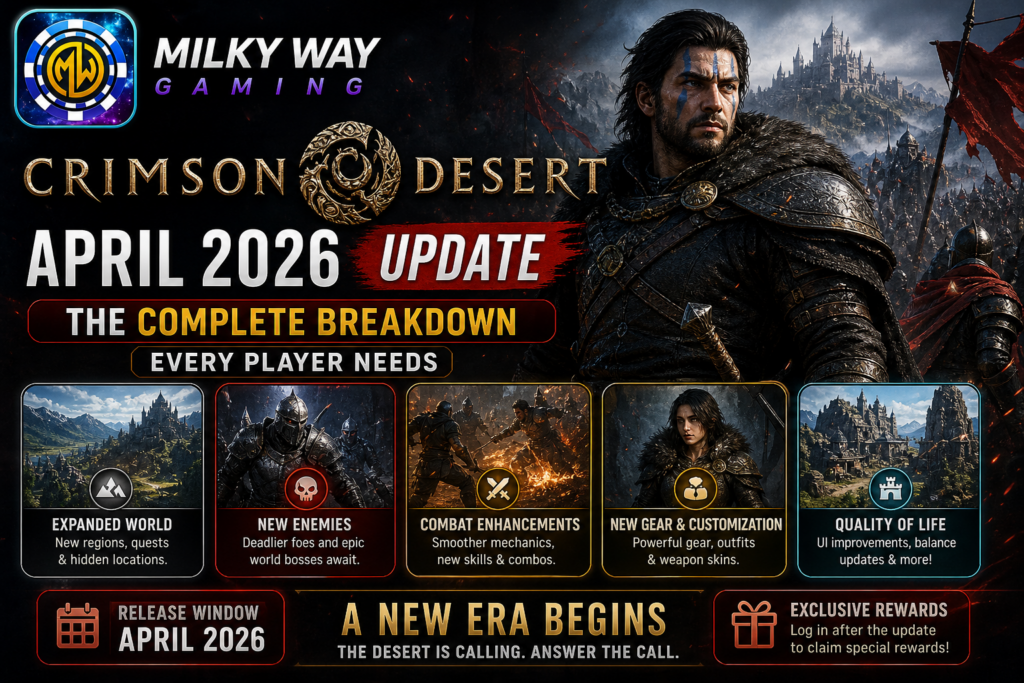
Pearl Abyss just proved it’s serious about Crimson Desert’s long game, and Patch 1.02.00 is the clearest signal yet. Dropped on April 4, 2026, this update doesn’t just slap a bandage on old problems; it surgically addresses the exact friction points players have been vocal about since the game launched in March.
If you’ve been grinding through Pywel with a maxed-out inventory, frustrating fast travel rules, or a hairstyle permanently buried under a helmet you’d rather not see, today is your day. This is the most player-responsive patch Crimson Desert has received so far, and every serious Greymane needs to know what changed and why it matters.
Why Patch 1.02.00 Is a Turning Point for Crimson Desert
Crimson Desert’s launch was far from smooth. Many players voiced concerns over various bugs, clunky controls, and an underwhelming early experience, but Pearl Abyss acknowledged these complaints and has been releasing consistent updates to address them.
Patch 1.02.00 represents something more than another hotfix cycle. It’s evidence of a developer in active conversation with its playerbase. Three of the patch’s four headline features, storage expansion, movement control options, and headgear visibility, were pulled directly from community request threads. That’s not a coincidence. That’s a studio paying attention.
This update signals Pearl Abyss’s commitment to addressing community feedback systematically, with the headgear visibility option and expanded storage directly responding to frequently requested features, while the movement control options cater to players who preferred the original system.
For American gamers who’ve watched live-service and action-RPG titles collapse under poor post-launch support, this pacing of updates, multiple meaningful patches in the game’s first month, is genuinely encouraging.
Storage Expansion: From Cramped to Comfortable
The Problem It Solves
Ask any Crimson Desert player what annoyed them most in the first few weeks and “storage” will come up within the first three answers. Running out of inventory space mid-Abyss run, having to choose between rare crafting materials and quest items, constantly backtracking to manage bags, it was a real friction point that disrupted the game’s natural flow.
What Actually Changed
Depending on your progress with the Greymane camp expansion, your private storage capacity can now grow from 240 slots up to a maximum of 1,000 slots through five camp expansion stages. The Phrasemaker
That’s not a minor tweak. Going from 240 to 1,000 slots is the difference between a studio apartment and a house with a garage. You can now stockpile Abyss Gears for multiple character builds, maintain a deep crafting inventory, hoard seasonal materials, and explore content that rewards long-term collection, all without that constant inventory-anxiety hovering over your session.
How to Unlock the Full 1,000 Slots
The storage increase isn’t automatic, it’s directly tied to your Greymane camp’s five expansion stages. The further you develop your camp, the more storage you unlock. Think of it as a natural progression reward: the more invested you are in Crimson Desert’s world-building systems, the more the game opens up for you logistically.
This design choice is smart. It gives players a tangible, practical reason to engage with camp mechanics beyond cosmetics, and it paces the inventory reward so it doesn’t feel handed out.
Movement Controls: Finally, Your Preference Matters
The Sprint Controversy
When Crimson Desert launched, its default sprint system, hold the key to accelerate, rubbed a portion of the playerbase the wrong way. Specifically, veterans of Pearl Abyss’s previous title, Black Desert Online, were wired for a tap-to-sprint rhythm. Muscle memory is hard to override, and for those players, the new default felt genuinely off.
Basic vs. Classic: What Each Mode Means
The Movement Controls option can be selected via Main Menu > Others > Settings > Input > Movement Controls. Basic mode requires holding the sprint key to accelerate, while Classic mode uses the original system of repeatedly pressing sprint to build speed. Stamina consumption adjusts accordingly for both mounted and on-foot movement. Pearl Abyss
Think of Basic as automatic transmission, smooth, forgiving, great for new players. Classic is the stick shift: more deliberate, more tactile, preferred by players who’ve developed a specific rhythm over thousands of hours.
Neither mode is superior. The right one is whichever one stops you from thinking about the controls and lets you think about the game instead.
How to Switch
Head to Main Menu → Others → Settings → Input → Movement Controls and toggle between Basic and Classic. It takes ten seconds and could fundamentally change how natural traversal feels for you.
Fast Travel Gets Smarter
Why the Old System Was Frustrating
Before Patch 1.02.00, using an Abyss Nexus fast travel point required you to be completely stationary, no movement whatsoever. It sounds minor until you’re in the middle of a busy area, slightly nudging your character while trying to pull up the map, and getting blocked from teleporting because your thumb twitched.
The Fix
You can now fast travel even when moving slightly. Pearl Abyss says they’re working on enabling fast travel while mounted or flying, which will likely involve adding new animations since Kliff is shown walking during the loading screen. VULKK
Additionally, a new Abyss Nexus has been added in Pailune VULKK, expanding the network’s reach and reducing the distance players need to travel between key areas.
These aren’t glamorous changes. They won’t show up in a trailer. But they chip away at one of the most reliable sources of low-level daily frustration, and that kind of friction reduction is what separates games people play for 200 hours from games people quit at 50.
Headgear Visibility: See Your Character, Your Way
The Request Behind the Feature
Cosmetic investment is real. Players spend time carefully designing Kliff’s appearance, hair, face, accessories, and then equip a bulky helmet that covers everything they built. In a game with strong cutscene storytelling, that’s particularly painful. You’re watching a dramatic story moment and your protagonist looks like they’re about to joust.
The Four Options Now Available
Update 1.02.00 introduced the ability to completely or contextually hide your character’s helmet via Settings > Language and Gameplay. The four options are: Always Show (default), Show in Combat, Hide in Cutscenes, and Always Hide. VULKK
The sweet spot for most players will be either “Hide in Cutscenes”, preserving the storytelling experience while keeping combat visuals intact — or “Always Hide,” for those who’ve decided their character’s face is their best armor.
It’s a small feature that delivers outsized satisfaction. When a game lets you look exactly how you want during the moments that matter most, you care more about that character. You invest more in the story. Everything clicks better.
Bug Fixes That Quietly Fix a Lot
Abyss Puzzle Reset, Gone
Fixed an issue where the Abyss puzzle state would reset when viewing detailed information of nodes via the map “Details” menu while in the Abyss. Pearl Abyss If you’ve ever lost puzzle progress because you made the reasonable choice to check the map, you know exactly how infuriating this was.
Invisible Character Glitch, Fixed
Fixed an issue where the character would become invisible if an Abyss Artifact was obtained before the Abyss completion cutscene played. Pearl Abyss Functionally absurd, and now gone.
Skill Reset Bug, Corrected
Fixed an issue where the skills Healing Force Palm and Aerial Force Palm were also reset when resetting all skills. Pearl Abyss For players who use these skills as core combat tools, losing them unexpectedly during a respec was more than annoying, it could strand a build mid-progression.
Bank Investment Timer, Unstuck
Fixed an issue where the bank investment refresh time would remain stuck in the “Refreshing” state and not update. Pearl Abyss Economic systems silently failing in the background aren’t visible bugs, but they quietly bleed resource generation over time. This fix restores passive income streams that some players may not have even realized were broken.
Combat & Mobility Improvements
The Flight skill can now be activated while holding the jump key in mid-air, and jump input responsiveness after attacks has been improved. MP1st These feel minor in patch notes but register meaningfully in actual gameplay, combat in Crimson Desert is rhythmic and momentum-driven, so tighter inputs make fights feel more intentional and less luck-dependent.
Platform Notes and Known Issues
The update is live on Steam (PC and Mac), PlayStation, Xbox, and the Epic Games Store. The Mac App Store version is expected to follow at a later time. Gfinity Esports
ROG Xbox Ally X Users: An issue has been identified where Crimson Desert isn’t launching properly on ROG Xbox Ally X devices running the latest driver. Until Microsoft and AMD resolve it, the recommendation is to roll back to the previous driver version, available on the ASUS website. Milkyway gaming
This is a hardware-specific issue and doesn’t affect the broader PC or console audience, but it’s worth flagging before you lose an evening troubleshooting a launch failure that has nothing to do with the game itself.
Conclusion: Pearl Abyss Is Playing the Long Game Right
Patch 1.02.00 isn’t the most dramatic update Crimson Desert will ever receive. There’s no new region, no story chapter, no massive content expansion. But it may be the most important patch so far, because it signals what kind of developer Pearl Abyss intends to be during Crimson Desert’s post-launch life.
They listened. They responded quickly. They prioritized the right things. Storage, controls, fast travel, cosmetic freedom, these are the building blocks of a game that people stick with. Fix the daily frustrations, and players will still be around when the big content drops arrive.
Community reaction to the patch has been enthusiastic, with players noting that this is “what community proximity looks like” a developer genuinely tuned into what its players are actually experiencing. Steam Community
If you’ve been on the fence about returning to Pywel, or if you’re brand new to Crimson Desert, now is a genuinely good time to jump in. The rough edges are getting smoothed fast, and the foundation underneath them is always strong.
AI overview
The latest update for Crimson Desert, version 1.02.00, was released on April 4, 2026. It is now available on PC (Steam), PlayStation, Xbox, and the Epic Games Store. However, the Mac version has not been released yet. This update mainly focuses on improving the game experience rather than adding big new content. One of the biggest changes is the storage system. Players can now store many more items, as the storage limit has increased from 240 slots to 1,000 slots. Movement in the game has also improved, with new sprint options added. Players can now choose between Basic and Classic controls based on what feels more comfortable.
Fast travel has become easier too. Players can now use the Abyss Nexus even while moving slightly, which saves time. A new fast travel point has also been added in a place called Pailune, making it easier to explore the map. In addition, players now have more control over how their character looks, with new options to show or hide headgear. The update also fixes several problems in the game. Issues like puzzles resetting, invisible characters, and skill reset bugs have all been solved. Along with these fixes, a new armor set and helmet for cats have been added, giving players more customization options. There is one important note for players using the ROG Xbox Ally X. They should avoid updating to the latest driver for now, as it may cause problems. Overall, this update is about making the game smoother and more enjoyable to play every day. The developers, Pearl Abyss, have listened to player feedback and made useful improvements that enhance the overall experience.
milky way game – free download
milky way game download for android free